
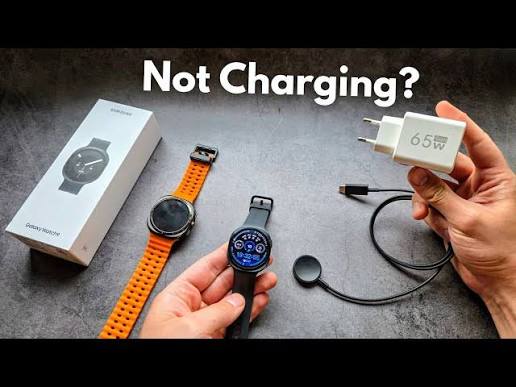
You drop your watch on the charger before bed, wake up, and find the battery barely moved. Or worse, the screen stays black no matter what you try. Frustrating, right? Good news: most Galaxy Watch not charging problems come down to a wrong charger, a weak power source, or heat, not a dead watch. And with Samsung’s new Galaxy Watch9 and Watch Ultra2 now in the market, a few new quirks have appeared. So, let’s walk through every fix, from the quickest checks to the last resort.
Quick Answer
If your Galaxy Watch isn’t charging, first confirm you’re using the correct charger for your exact model, plug it into a proper wall adapter (not a PC port or power bank), remove any case, align the watch on the puck, and let the watch cool down. Then restart it and update the software. If nothing works, run Samsung Members diagnostics, and book a repair check if the watch still won’t charge.
What’s New With the Galaxy Watch9 and Watch Ultra2
Samsung’s 2026 lineup brought the Galaxy Watch9 and Galaxy Watch Ultra2. Both use model-specific chargers, and that’s where many owners trip up.
According to Samsung’s support pages, the Watch9, Watch8, Watch8 Classic, Watch7, and original Watch Ultra use the EP-OL300 wireless charger. The Watch Ultra2 uses a different fast charger, the EP-OL715. Samsung also says older Galaxy Watch chargers aren’t compatible, and the EP-OR825 charger doesn’t support the Ultra2 or Watch9.
Samsung lists charging times of about 80 minutes for the 40mm Watch9 and about 90 minutes for the 44mm Watch9 on standard charging. The Watch Ultra2 takes around 90 minutes on fast charge and about 190 minutes on normal charge.
Meanwhile, some early adopters reported far slower results. Android Authority covered owners saying the Watch9 and Ultra2 took two to four hours to charge, with heat-related throttling and charger quirks as suspected causes. The problem doesn’t affect every unit, and Samsung hadn’t given a full explanation when that report ran. Therefore, slow charging on a new model doesn’t always mean a faulty watch.
Why a Galaxy Watch Stops Charging
The Wrong Charger
Each generation uses a specific charger design, and mixing them causes slow charging or none at all. Third-party docks add even more risk.
A Weak Power Source
Plugging the charger into a computer USB port, a multi-port hub, an older QC or AFC adapter, or a power bank can limit power. Samsung recommends an adapter with at least 5V/2A and Power Delivery support.
Poor Alignment or a Case
If the watch sits off-center, or a protective cover or thick case adds distance, the coil can’t connect properly.
Heat
Warm watches throttle charging to protect the battery. A hot room, direct sun, a recent workout, or charging near other heat sources can slow things down or stop charging.
Dirt or Moisture
Sweat, dust, and residue on the back of the watch or on the puck can block contact. Samsung also warns that the charging pad isn’t waterproof.
Software Glitches
Outdated software or a minor bug can interrupt charging and show false errors.
Hardware Damage
A damaged charging coil, cracked back glass, liquid damage, or a failing battery can stop charging completely.
Step-by-Step Fixes for Galaxy Watch Not Charging
Fix 1: Check You’re Using the Right Charger
Match your watch to its charger:
Watch Model | Correct Charger |
|---|---|
Galaxy Watch9, Watch8, Watch8 Classic, Watch7, Watch Ultra | EP-OL300 |
Galaxy Watch Ultra2 | EP-OL715 |
Galaxy Watch6, Watch5 | EP-OR900 |
If you borrowed a charger from an older watch, that’s likely your problem.
Fix 2: Use a Proper Wall Adapter
Plug the charger into a wall adapter rated at least 5V/2A, preferably a Samsung or a quality Power Delivery model. Avoid PC ports, hubs, power banks, and old charging bricks. Samsung’s recommended adapters include models like EP-TA800, EP-TA845, and EP-TA220.
Fix 3: Remove the Case and Align the Watch
Take off any protective cover or bumper. Then place the watch squarely on the charger so the back sits flat and centered.
Fix 4: Clean the Watch and the Charger
Wipe the back of the watch and the puck with a soft, dry cloth. Make sure no sweat, lotion, or dust sits between them, and keep the pad dry.
Fix 5: Let the Watch Cool Down
If the watch feels warm, remove it from the charger and let it cool in a shaded, cool spot. Then charge it again in a comfortable room, away from direct sunlight, windows, and heat sources. This matters especially in hot climates, since heat triggers throttling.
Fix 6: Restart the Watch
Restart through the settings menu. If the screen is frozen, try a force restart, which usually means holding the Home and Back buttons together for several seconds.
Fix 7: Try Another Outlet, Cable, and Adapter
Swap the wall outlet, USB-C cable, and adapter one at a time. A single weak link can ruin the setup.
Fix 8: Update the Software
Check for updates on both the watch and your phone’s Galaxy Wearable app. Samsung often fixes charging behavior through updates, so keep both current.
Fix 9: Don’t Rely on Wireless Power Sharing
Samsung confirms that Watch7, Watch8, Watch8 Classic, Watch9, Watch Ultra, and Ultra2 don’t support Wireless Power Sharing from a phone, because redesigned rear glass increases the distance to the charging coil. If you’ve been resting your watch on the back of your phone, that’s expected behavior, not a fault. Use the proper charger instead.
Fix 10: Run Samsung Members Diagnostics
Open the Samsung Members app on your phone, go to Support, select Connected device diagnostics, choose your watch, and run the Wireless charging test. It can tell you whether the issue sits in the watch or the charging accessories.
Fix 11: Give a Drained Watch Some Time
A deeply discharged watch may not respond instantly. Leave it on a correct charger and adapter for a while before you panic.
Fix 12: Factory Reset as a Last Resort
If everything else fails and the watch turns on, back up your data and reset it. This clears deep software problems, though it won’t fix hardware faults.
When Slow Charging on a New Watch Is Normal
If your Watch9 or Ultra2 charges slower than Samsung’s advertised times but still reaches 100 percent without heat warnings, check these before worrying:
- You’re using the correct charger and a quality adapter.
- The room is cool and the watch isn’t warm.
- No case or cover sits between the watch and puck.
- Software is current.
Some owners reported charging taking two hours or longer even under normal conditions, which suggests thermal management or charger compatibility quirks rather than a defect in every unit. If your watch takes far longer than expected and you’ve ruled out the basics, contact Samsung support.
Signs You Need a Repair
Stop troubleshooting and book a professional check if you notice any of these:
- The watch won’t charge on a verified charger and adapter, and diagnostics fail.
- The watch gets very hot or smells odd while charging.
- The back glass, charging area, or case looks cracked or bulging.
- The battery drains abnormally fast or the watch shuts down suddenly.
- The watch has been exposed to water, sweat, or heavy impacts.
- The charger works on another watch but not on yours.
Samsung’s own guidance says to visit a service center with both the charger and adapter if charging stays slow even with genuine accessories. Bring both so technicians can test each piece.
How to Keep Your Galaxy Watch Charging Properly
- Use the original or officially compatible charger for your exact model.
- Charge in a cool, shaded place. Avoid windows, car dashboards, and direct sun.
- Let the watch cool after workouts before charging.
- Keep the watch and puck clean and dry.
- Don’t use cheap third-party docks.
- Update software regularly.
- Charge before the battery hits zero when possible, since deep discharge can cause wake-up delays.
Pairing Your Watch With the Right Phone
If you’re upgrading your phone along with your watch, compare options in Milaaj’s smartphone range, and if you also want a larger Samsung screen, browse Samsung tablets at Milaaj. Considering a foldable? Our guide to the Galaxy Z Flip crease on the Flip 6, 7 and 8 explains what to expect, and our list of the best 5G phones under AED 2,500 in UAE covers strong alternatives.
Final Thoughts
At the end of the day, a Galaxy Watch not charging isn’t usually a broken watch. It’s most often the wrong charger, a weak adapter, a case in the way, or a warm watch that’s throttling its own charging. Work through the fixes in order, use the right charger for your model, and keep things cool and clean. If the watch still won’t charge after all that, let a technician inspect it before the problem gets worse.
Frequently Asked Questions (FAQs)
1. Why is my Galaxy Watch9 charging so slowly?Common causes include the wrong charger, a weak adapter, heat, or a case in the way. Some early Watch9 and Ultra2 owners also reported slow charging linked to thermal throttling, so check the basics first.
2. Which charger does the Galaxy Watch Ultra2 need?Samsung lists the EP-OL715 fast charger for the Watch Ultra2, paired with an adapter rated at least 5V/2A. Older charger models aren’t compatible.
3. Can I charge my Galaxy Watch on the back of my Samsung phone?Not on the Watch7, Watch8, Watch8 Classic, Watch9, Watch Ultra, or Ultra2. Samsung says these models don’t support Wireless Power Sharing, so use the official charger.
4. How long should a Galaxy Watch9 take to charge?Samsung lists about 80 minutes for the 40mm model and about 90 minutes for the 44mm model on standard charging, though real-world times can vary.
5. When should I take my Galaxy Watch to a repair shop?Go if it still won’t charge on a verified charger and adapter, overheats, shows damage or swelling, or shuts down unexpectedly after you’ve tried restarts, updates, and diagnostics.