
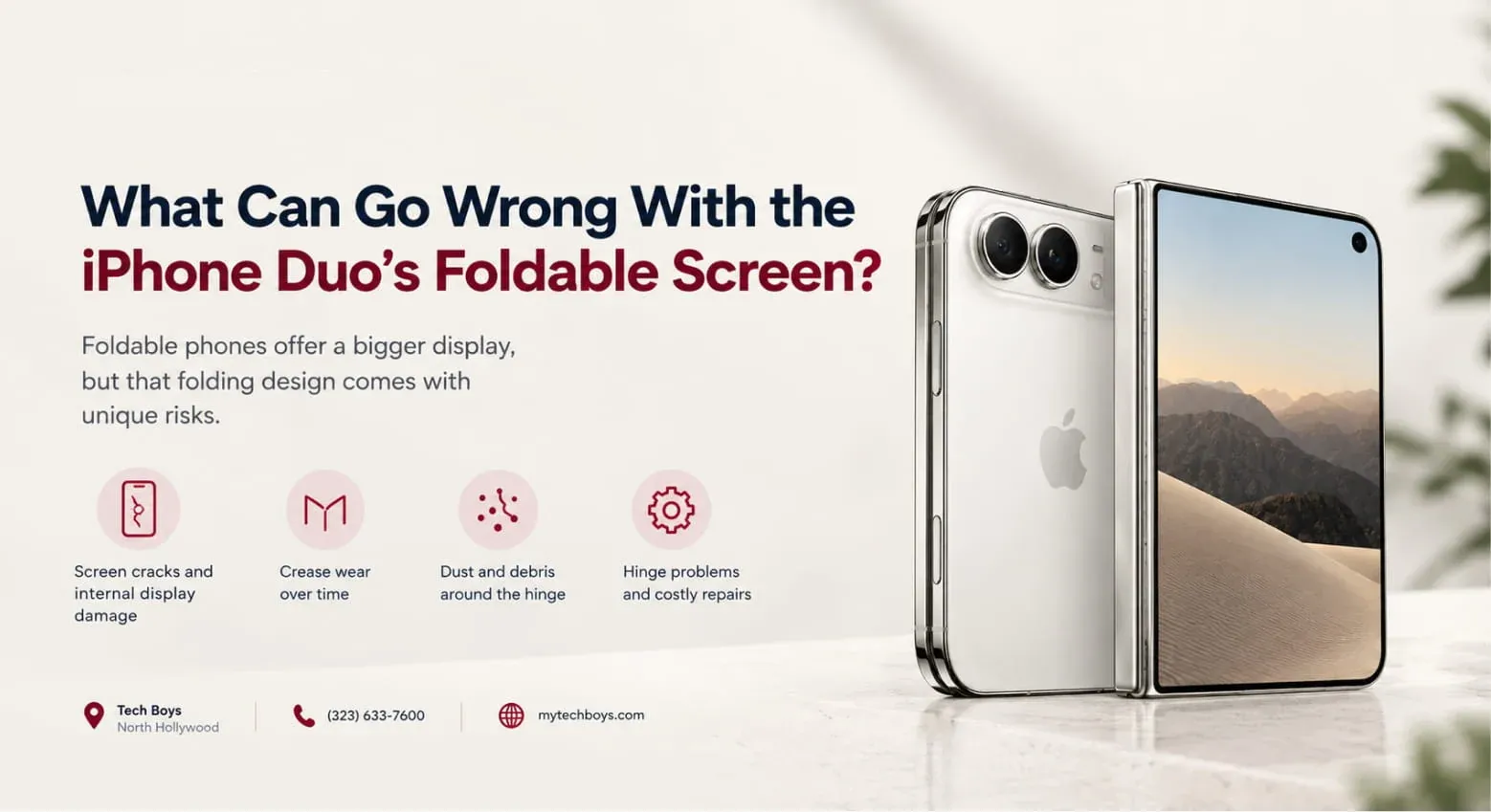
Apple finally built a foldable, and the UAE got it fast. The iPhone Duo went on sale on October 23 at AED 8,499, and queues formed at Apple stores in Dubai. Excitement is huge, but so are the questions. Will the crease annoy you? Will the hinge loosen? Will the inner screen survive daily life? So, let’s walk through the likely iPhone Duo crease, hinge and display problems, separate what Apple has actually said from guesswork, and show you how to protect a very expensive phone.
A Quick Look at the iPhone Duo’s Design
Before judging problems, it helps to know what Apple built. The Duo has a 7.6-inch inner OLED display and a 5.4-inch outer display, and both run at 120Hz. Apple uses a titanium body, a hinge made from more than 100 components, and a titanium plate that supports the folding panel. High-strength glass sits above and below the display, and a scratch-resistant coating adds protection. The phone also carries an IP68 rating, and it runs on the A20 Pro chip with two batteries that work as one.
In the UAE, the Duo starts at AED 8,499 for 256GB, which makes it the most expensive iPhone Apple has sold. That price raises expectations, so any flaw feels bigger.
The Crease: What Apple Says and What to Expect
Apple’s Promise
Every foldable has a crease where the screen bends, and Apple hasn’t pretended otherwise. Instead, the company added a nano-texture finish to the inner display to scatter reflections and make the crease less visible. Apple’s hardware engineering VP Tom Marieb said the finish should keep the crease less visible even as the hinge changes with use.
Notice the careful wording, though. Apple says “less visible,” not “invisible.” Therefore, expect a crease you can see at certain angles and in certain light, especially when the screen is off or showing a bright white background.
Why Creases Get Worse Over Time
Folding a screen thousands of times slowly changes how the layers sit and bend. Heat can accelerate that, and so can heavy pressure on the fold. As a result, a crease that looks subtle on day one may become easier to spot after months of use. Apple hasn’t published a fold-cycle rating, so nobody yet knows how the Duo ages.
What Is Normal and What Isn’t
A faint line along the fold is normal for any foldable. However, a deep groove, a raised ridge, color distortion near the fold, or touch problems along the crease suggest damage. If you see those, document them and contact Apple.
Hinge Problems to Watch For
Looseness or Wobble
A good hinge holds the screen at any angle without drifting. Apple says it spent considerable time tuning the hinge’s torque so it feels solid closed, open, or held halfway. If your Duo’s hinge feels loose, creaks, or won’t hold a position, something is wrong.
Grit and Dust Getting In
IP68 helps with water and dust, but moving parts still attract tiny particles. Sand and fine dust, which are common in the UAE, can work into hinge areas over time. If you hear grinding or feel roughness, stop folding the phone repeatedly and get it checked.
Uneven Closing
When the phone shuts, both halves should meet cleanly. Gaps, a slight twist, or uneven pressure can signal hinge misalignment.
Resistance or Sticking
A hinge should feel smooth. Sudden stiffness or catching points often come from debris or a faulty component.
Remember, this is a first-generation hinge. Apple’s engineering looks serious, but real-world durability only becomes clear after months of use by thousands of people.
Display Problems to Watch For
Pressure Marks and Scratches
Foldable inner screens feel different from rigid glass. Even with Apple’s glass layers and coating, sharp objects, fingernails, and pens can mark them. Treat the inner display gently.
Dead Pixels and Dark Spots
OLED panels can develop pixel defects. Check for black dots, bright spots, or small areas that don’t light up.
Flickering or Lines
Colored lines, flickering, or flashing can appear after impacts or pressure. If lines show up suddenly, stop using the phone heavily and get it inspected.
Touch Problems Near the Fold
Dead zones or ghost touches around the crease suggest a display or digitizer fault.
Edge Lifting or Layer Damage
If you notice edges lifting, bubbles, or peeling layers on the inner display, don’t try to fix it yourself, and don’t peel anything off.
Uneven Brightness or Color
Compare both displays and check for patches that look dimmer or tinted. A small difference may be normal, but obvious blotches aren’t.
A Reality Check: There’s Little Long-Term Data
The Duo has only been on sale for days. Apple hasn’t published a fold-cycle rating, and independent teardown and durability results are still arriving. So, anyone claiming to know the Duo’s typical failure points is guessing. What we can do is learn from foldables in general, where creases, hinge wear, and inner-screen damage are the most common complaints, and watch for them closely.
How to Inspect a New iPhone Duo Before Accepting It
Check the Crease and Both Displays
Turn the screen on with white, black, and colored backgrounds. Look for lines, dead pixels, uneven brightness, and unusual crease depth.
Test the Hinge
Open and close the phone several times, and stop at different angles. The hinge should feel smooth, hold position, and make no strange noises.
Check the Frame and Gaps
Inspect the titanium body for dents and look at the gap when closed. It should look even.
Test Touch and Cameras
Swipe across the entire inner display, especially near the fold. Test the outer camera, the rear cameras, and the under-display camera.
Verify Everything Before You Leave
Do these checks at the store or right after delivery, while returns and exchanges are simple.
Daily Care Tips for a Foldable iPhone
- Use a proper case. Apple sells an iPhone Duo Case at AED 319 and a Folio with Kickstand at AED 529, and either protects the hinge and corners.
- Don’t press hard on the inner screen. Avoid pens, nails, and sharp objects.
- Keep it away from sand, dust, and grit. Beaches and desert trips can clog hinges.
- Don’t force it open or shut. Smooth movements protect the hinge.
- Avoid extreme heat. A hot car is dangerous for any phone, and foldables especially.
- Keep the inner display clean. Use a soft microfiber cloth.
- Don’t add random screen protectors. Apple built protective layers into the display, so only use accessories that Apple or a trusted maker designs for it.
What to Do If You Notice a Problem
First, stop and document the issue with photos or video, including the date. Next, check your warranty and any AppleCare+ coverage, since foldable repairs will likely cost far more than a standard iPhone repair. I couldn’t find an official UAE repair price for the Duo’s screen or hinge yet, so ask Apple directly for a written quote. Finally, avoid unauthorized repairs while your warranty is active, because opening a foldable improperly can create bigger problems.
Should You Buy the iPhone Duo Now or Wait?
If you love the idea of an iPad-sized screen in your pocket, the Duo is a genuine breakthrough, and early adopters will enjoy being first. However, first-generation products often carry teething problems, and the Duo’s AED 8,499 price leaves little room for regret. Samsung’s Galaxy Z Fold8 starts at AED 7,199 in the UAE, which gives you a cheaper, more mature foldable alternative.
So, ask yourself honestly. Do you want to be first, or do you want to be sure? If you’re cautious, waiting for real-world durability reports costs you nothing but patience.
Plan Your Upgrade Smartly
If you’re weighing options, compare Apple’s lineup on Milaaj’s iPhone range, or browse more smartphones at Milaaj for alternatives. Want to see what the software brings? Our guide to iOS 27 and its new features explains the changes, and if you plan to fund the purchase by selling your old phone, read our guide to iPhone trade-in deals first.
Final Thoughts
At the end of the day, iPhone Duo crease, hinge and display problems matter because folding phones push materials harder than any slab phone does. Apple has engineered the Duo carefully, with a nano-texture finish, a 100-plus-part hinge, and a titanium body, yet the long-term story hasn’t been written. So, inspect your phone carefully, protect it with a good case, and treat that inner display gently. Do those things, and you’ll give your foldable the best chance of staying flawless.
Frequently Asked Questions (FAQs)
1. Does the iPhone Duo have a visible crease?Apple says its nano-texture finish makes the crease less visible, not invisible, so expect to notice it at certain angles and in certain lighting.
2. How much does the iPhone Duo cost in the UAE?It starts at AED 8,499 for the 256GB model, and it went on sale in the UAE on October 23.
3. Does Apple publish a fold-cycle rating for the iPhone Duo?Not that I found. Apple has described the display materials and hinge design, but long-term durability still needs real-world testing.
4. Is the iPhone Duo water and dust resistant?Apple lists an IP68 rating, but moving parts like hinges can still collect grit, so keep it away from sand and dust.
5. Should I use a screen protector on the inner display?Be careful. Apple built protective layers into the display, so only use accessories designed for the Duo, and don’t peel anything off the inner screen.
Other Services / Shopping Categories:
Looking for new gadgets? Explore Milaaj’s latest smartphone collection.
Need a laptop upgrade? Check out Milaaj’s laptops and MacBooks.
Selling your used devices? Get instant cash when selling your old iPhone or electronics with Milaaj.
Want tech accessories? Shop genuine chargers, cables, and power banks on Milaaj.